Use case · design feedback
Design feedback that
points at the screen
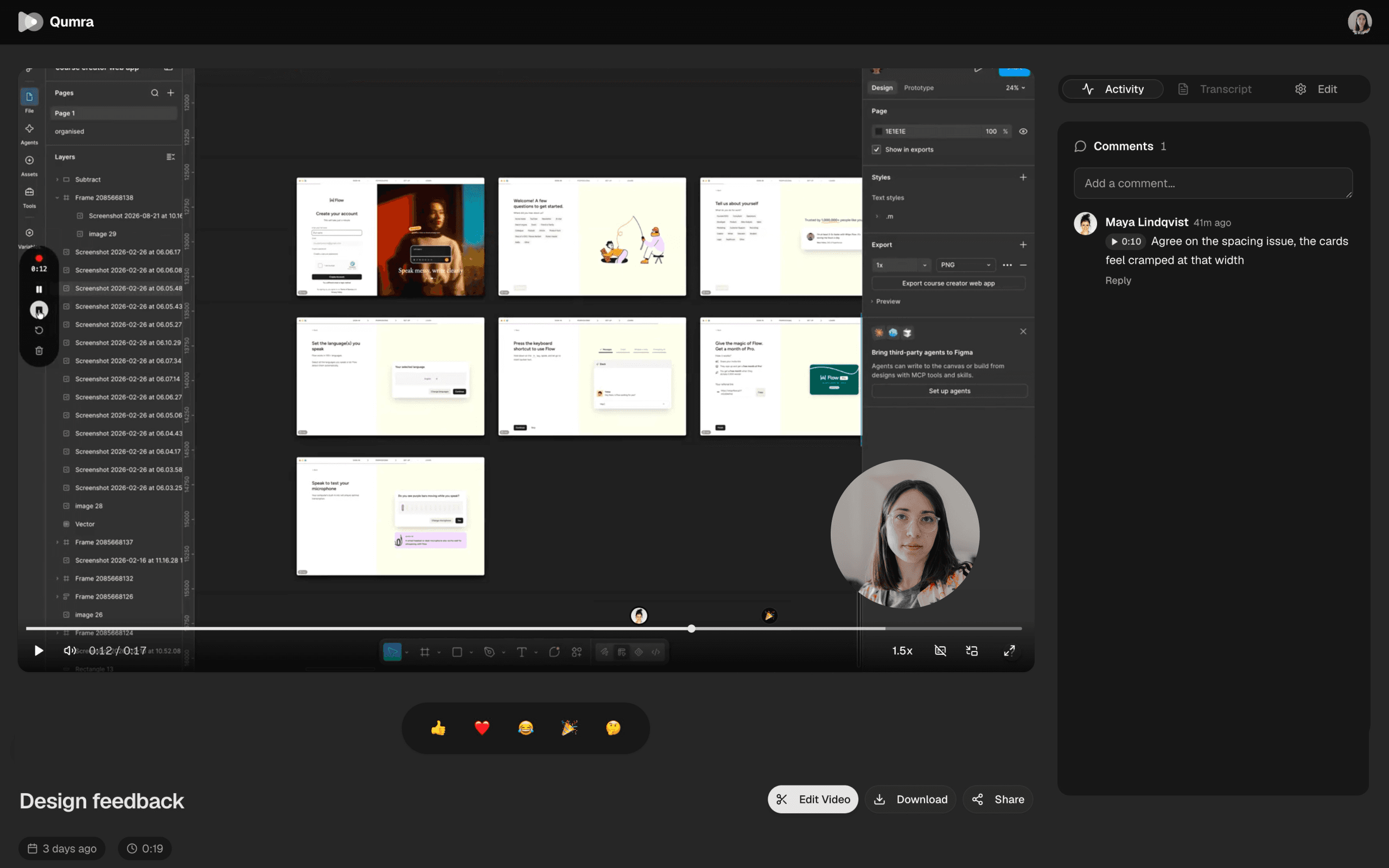
A static screenshot can't show a hover state, a transition, or the flow between screens. A recording can — and with Qumra, every comment lands on the exact moment it's about.
The problem
Feedback scattered is feedback lost.
Design feedback usually arrives in pieces: annotated screenshots in one thread, a paragraph in chat, a few notes from a review call that nobody wrote down. By the time you sit down to revise, half the context is gone and the other half contradicts itself.
A video walkthrough keeps the design, the rationale, and the discussion in one place. You present the work the way you would in a meeting — moving through the flow, narrating the decisions — and reviewers respond on their own time, at the exact frame they mean.
Why Qumra
Present once, review async.
Show motion, not mockups
Hover states, transitions, and multi-screen flows read on video in a way flat images never do.
Narrate the reasoning
Say why the layout changed instead of hoping reviewers infer it. Your voice travels with the design.
Comments at the frame
“This spacing feels off” attaches to the moment that screen is visible — no guessing which screen.
No account for reviewers
Clients and stakeholders open the link in a browser and comment. Nothing to install, nothing to join.
Camera when it helps
Picture-in-picture keeps the presentation personal without booking a meeting for it.
A searchable record
The automatic transcript makes every walkthrough findable later — decisions included.
How it works
A design review without the meeting.
Record the walkthrough
Capture the design window or your full screen, and talk through the flow and the decisions behind it.
Share the link
Uploading happens while you record. Stop, and the link is ready for the team channel or the client email.
Collect feedback in context
Reviewers comment at exact timestamps, replies thread under each point, and the discussion stays with the design.
FAQ
Frequently asked questions
Can stakeholders watch and comment without an account?
Yes. Every recording gets a share link that opens in any web browser — no account or install needed. Anyone with the link can watch and leave timestamped comments.
Can I record just the design file, not my whole screen?
Yes. Qumra records full screen, a single window, or a region you draw — so you can capture the Figma tab or the staging site without sharing the rest of your desktop.
Can I show my face while presenting the design?
Yes. Add your camera as picture-in-picture over the screen recording, or record either source on its own. You can switch sources without stopping.
How is feedback collected?
Viewers comment at exact timestamps, and replies thread under the original comment. The feedback about a specific screen stays attached to the moment that screen was visible.
Is Qumra free for design reviews?
Yes. The free plan includes up to 30 recordings of 5 minutes each with instant share links and timestamped comments. Premium is $14.99 per month with unlimited recordings and length, full AI transcription, and the video editor.
Keep exploring