Feature · transcription
Every recording,
written down for you
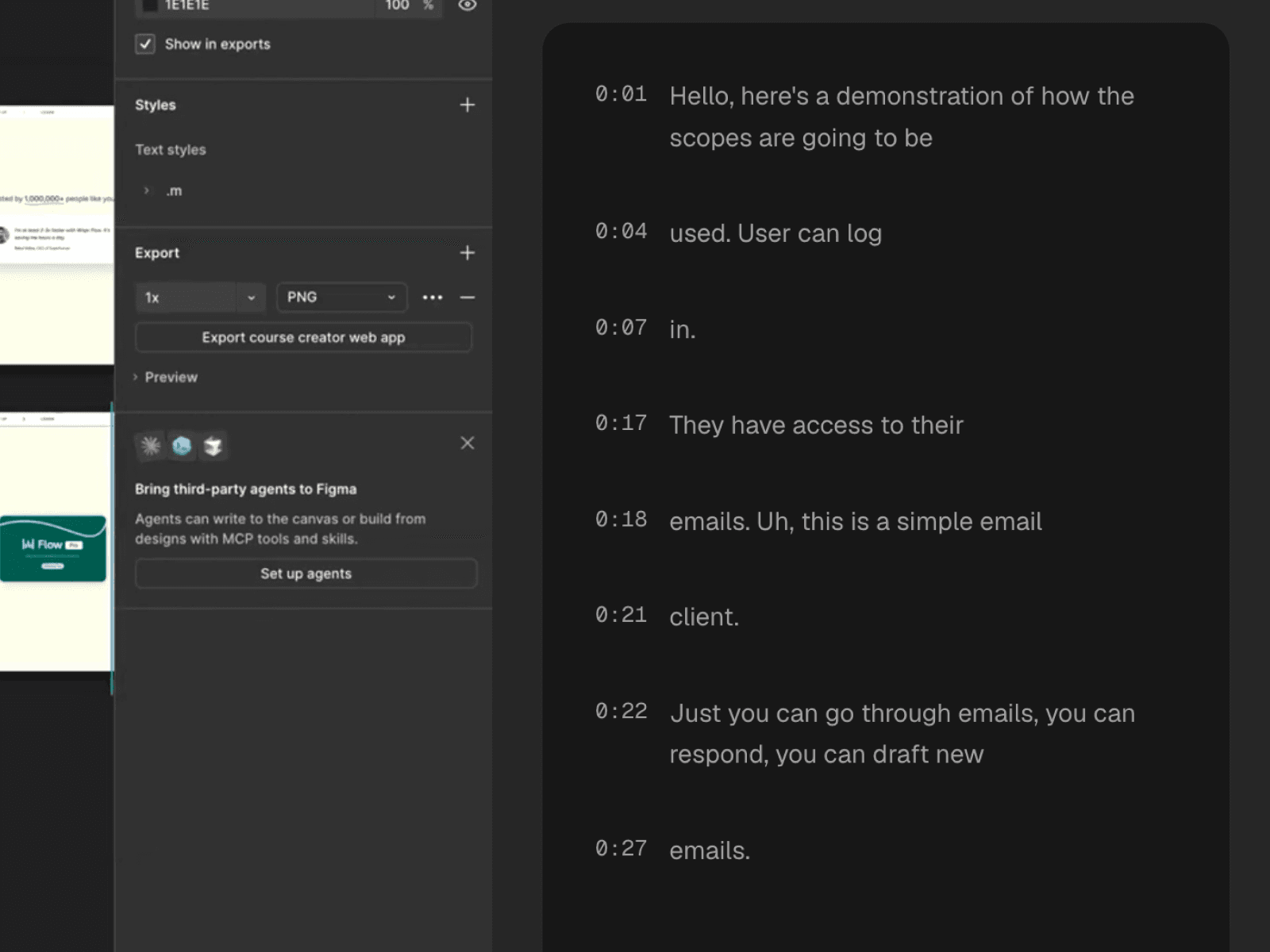
Qumra transcribes your recordings automatically — so videos become searchable, skimmable, and editable as text. AI adds titles and summaries so even naming the thing is handled.
Why it matters
Video you can't search is video you lose.
A library of recordings without transcripts is a wall of thumbnails. You know the explanation exists — someone recorded it months ago — but finding the right video, and the right minute inside it, costs more than asking the question again.
Transcription turns every recording into text: searchable from your library, skimmable on the share page, and precise enough to jump to the exact sentence. The knowledge in your videos stops expiring the week they were recorded.
Editing
Edit the words, cut the footage.
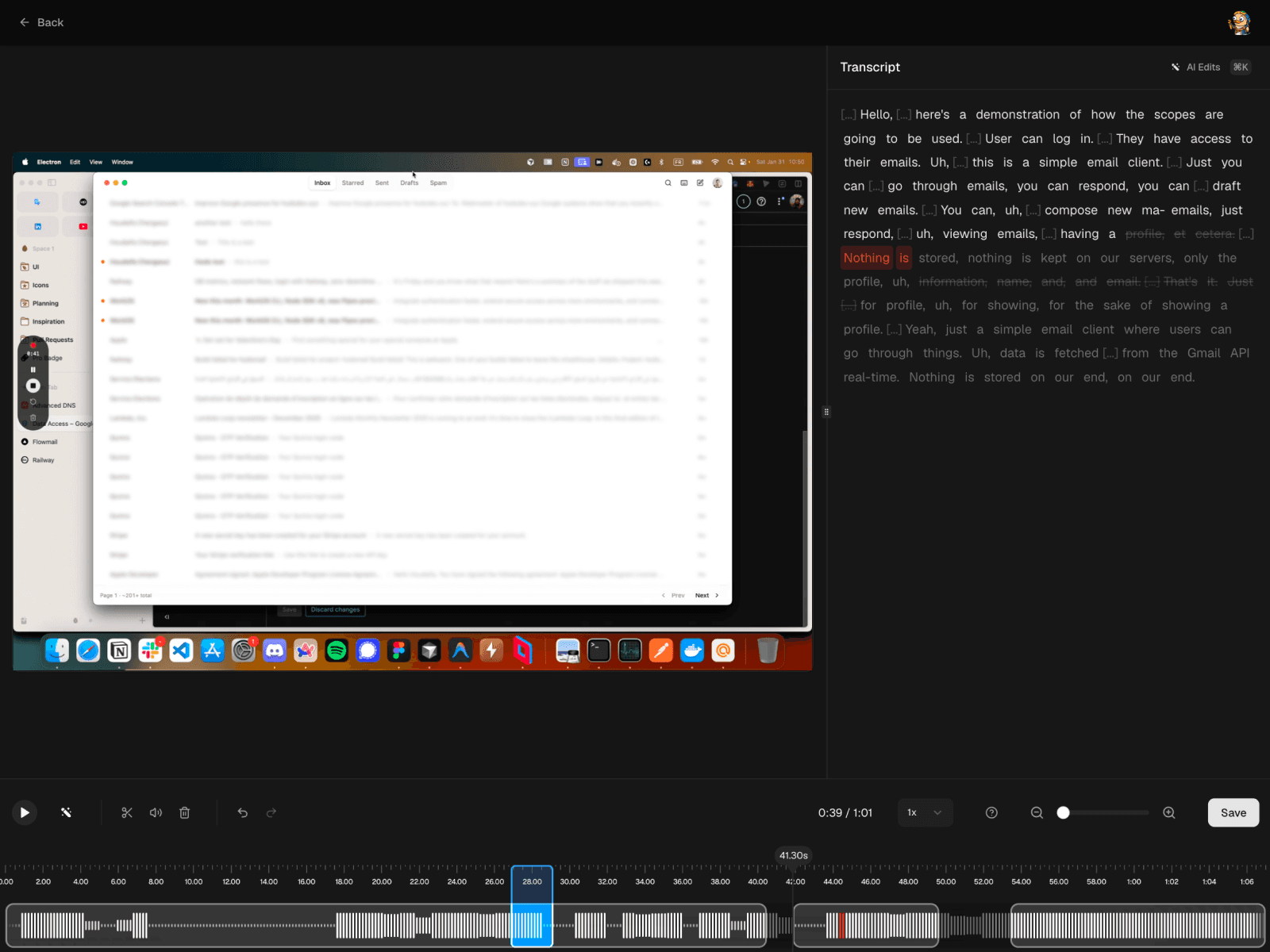
The transcript doubles as an editing surface: delete a sentence and the matching clip disappears, or let AI strip the filler words. The timeline is still there when you want frame-level control.
Details
What the transcript unlocks.
Library search
Find a recording from a phrase you remember — every word ever said is indexed.
Skim before you watch
Viewers read the transcript to find their part and jump straight to it.
AI titles and summaries
Recordings name and summarize themselves, so sharing doesn't start with a writing task.
FAQ
Frequently asked questions
Do I have to do anything to get a transcript?
No. Transcription runs automatically after you record. The transcript appears alongside the video on the share page.
Is transcription included in the free plan?
Full AI transcription is a Premium feature ($14.99 per month, with a 7-day free trial). The free plan covers recording and sharing with timestamped comments.
Can I edit the video through the transcript?
Yes. In the editor, deleting a sentence from the transcript removes the corresponding footage, and AI can strip filler words for you. You can still trim on the timeline when you want manual control.
Can I search my recordings by what was said?
Yes. Transcripts make your whole library searchable, so you can find a video from a phrase you remember instead of scrubbing thumbnails.
Does the transcript help viewers too?
Yes. Viewers can skim the transcript to decide what to watch and jump to the sentence they care about instead of scrubbing the timeline.
Keep exploring