Loom alternative
A fast Loom alternative
for async screen recording
Record your screen and camera, stop recording, and share the link immediately. Timestamped comments and AI transcripts included — at one flat price.
Why switch
What people want from a Loom alternative
Most teams shopping for a Loom alternative are looking for the same few things: pricing that doesn't scale per seat, recording that doesn't make you wait, feedback that stays attached to the video, and an editor that doesn't require exporting to another tool.
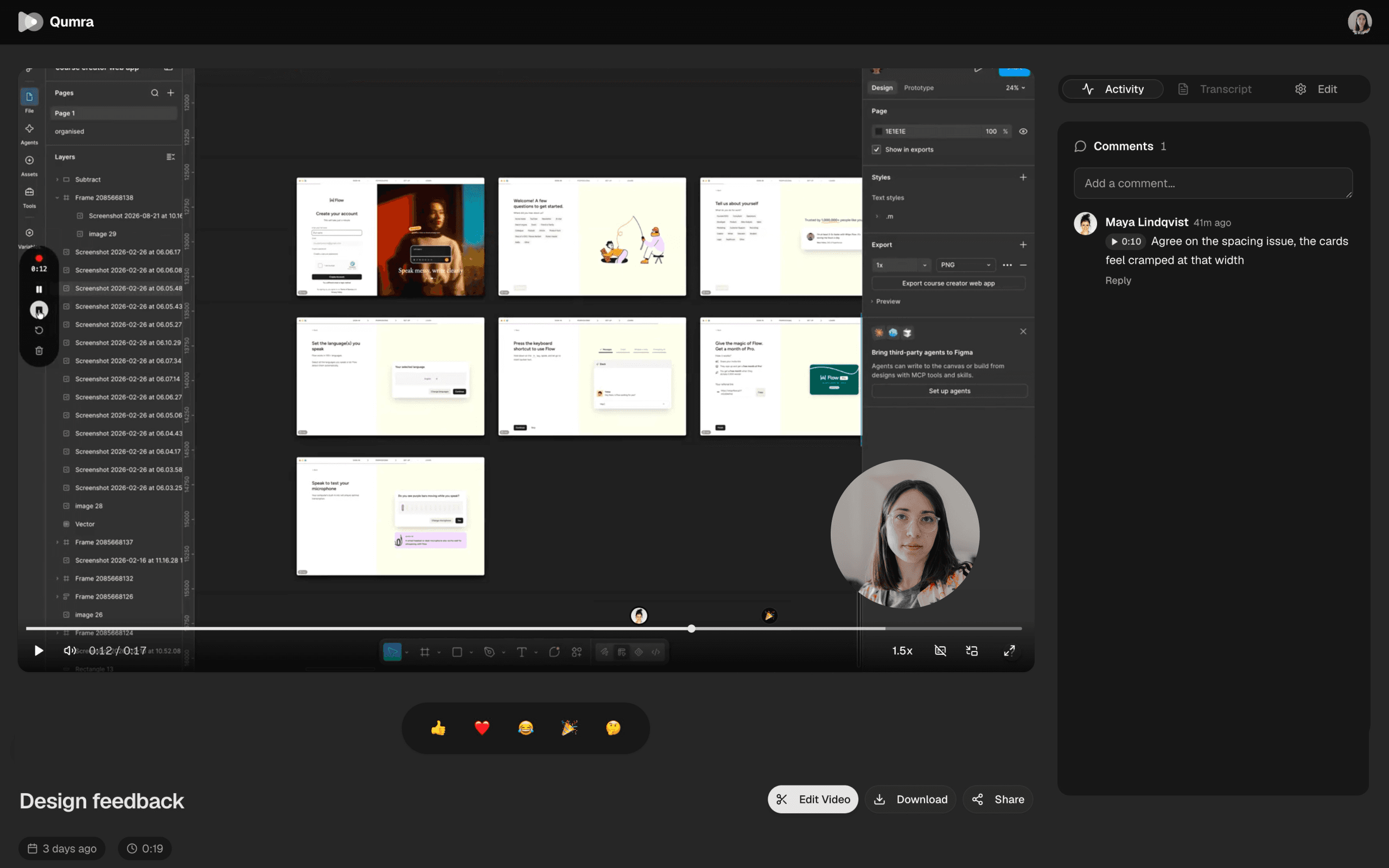
Qumra was built around exactly that workflow. Recording uploads in chunks while you're still talking, so there's no processing step at the end — the share link is ready when you stop. Viewers comment at timestamps, every recording is transcribed, and the editor lets you cut footage by deleting sentences from the transcript.
What you get
Everything you'd expect, without the wait.
Upload while recording
Chunked uploading means your video is shareable the moment you stop — no processing bar, no waiting.
Screen + camera
Record full screen, a window, or a region, with your camera and system audio when you want them.
Timestamped comments
Feedback attaches to exact moments with threaded replies, so nobody says “around the 4-minute mark.”
AI transcription
Every recording is transcribed automatically, making your video library searchable and skimmable.
Transcript-based editing
Delete a sentence in the transcript and the footage goes with it. Or trim on the timeline — your call.
Flat pricing
Free to start. Premium is one flat monthly price with unlimited recordings — not a per-seat bill that grows with your team.
How it works
Switching takes one recording.
Download and record
Install Qumra on macOS or Windows, pick a screen, window, or region, and hit record.
Share the link
Uploading happens while you record. Stop, copy the link, and paste it anywhere — Slack, email, an issue tracker.
Collect feedback
Viewers watch in the browser, no account needed, and leave comments at exact timestamps.
FAQ
Frequently asked questions
How is Qumra different from Loom?
Qumra uploads while you record, so your video is ready to share the moment you stop. It includes AI transcription, timestamped comments, and a built-in timeline video editor — edits work on the transcript, so deleting a sentence deletes the footage. Pricing is a simple flat rate, not per seat.
Is there a free plan?
Yes. The free plan includes up to 30 recordings of 5 minutes each, with instant share links and timestamped comments. Premium is $14.99 per month with unlimited recordings and length, full AI transcription, and the video editor. Premium includes a 7-day free trial.
Do viewers need an account to watch my videos?
No. Every recording gets a share link that opens in any web browser — viewers don't need to install anything or sign up to watch.
What platforms does Qumra run on?
Qumra is a desktop app for macOS (Apple Silicon and Intel) and Windows. Recordings are viewable on any device with a browser.
Can my team leave feedback on recordings?
Yes. Comments attach to exact timestamps and support threaded replies, so the discussion lives at the precise moment it's about instead of in a separate chat.
Keep exploring